Swiss QR-bill: Membership Fees by QR-bill
Contents
- What is the Swiss QR-bill?
- What BoxPlanner does for you
- Set it up in three steps
- Sending bills to all members at once
- Family accounts
- Requirements
- What's next
- FAQ
What is the Swiss QR-bill?
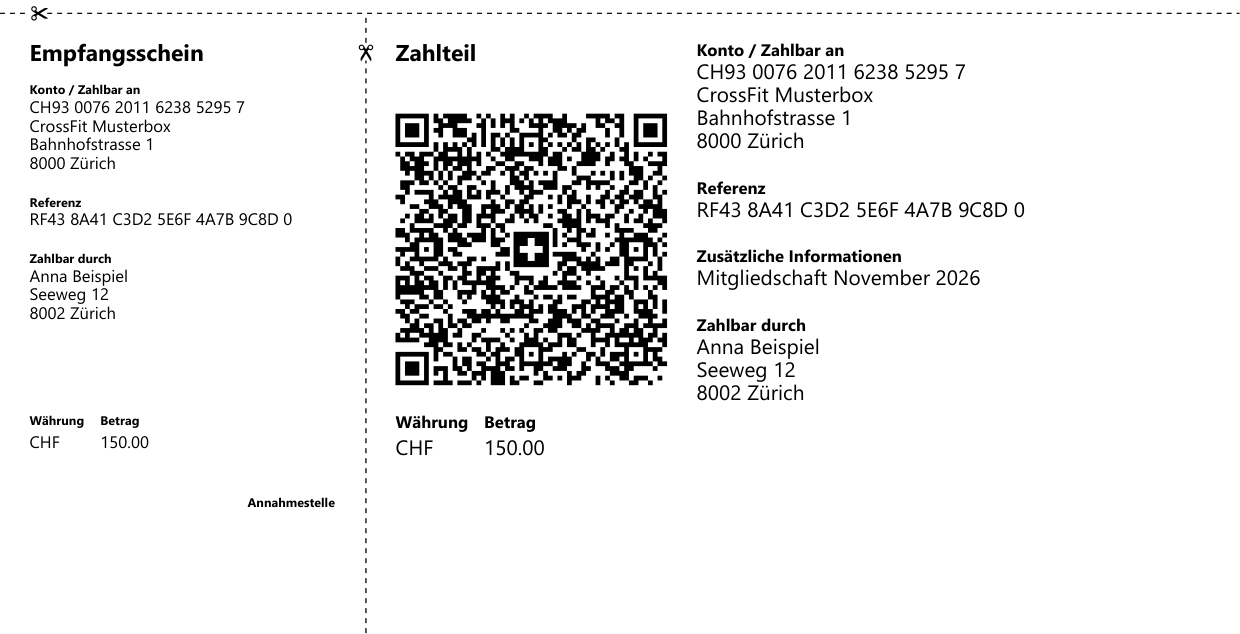
Since October 2022 the QR-bill is the only payment slip in Switzerland - it replaced the orange and red slips. At the bottom of the invoice sits a payment part with a Swiss QR code. Your member scans it in their banking app, and IBAN, amount and reference are filled in automatically. Nothing to type, no typos, no payments without a reference.
Most Swiss boxes are not paid by direct debit but by bank transfer. Until now that meant writing invoices by hand, or members transferring "something" with a free-text note. With the QR-bill in BoxPlanner every open payment becomes a proper invoice in one click.
What BoxPlanner does for you
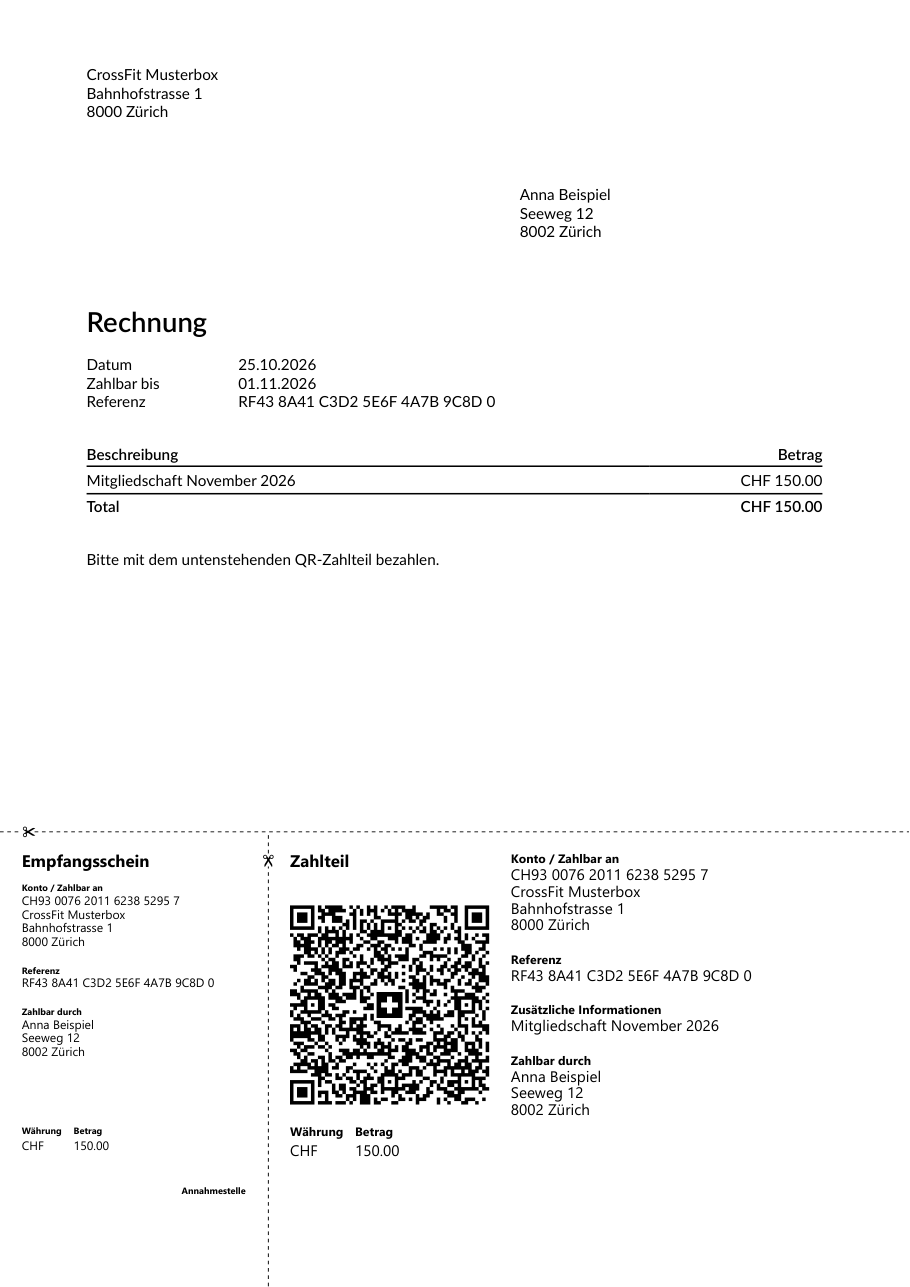
- A QR-bill for every open payment - as an A4 PDF with the payment part at the bottom, for the open amount of the payment.
- One unique reference per payment. With a normal IBAN the bill carries an RF creditor reference, with a QR-IBAN a 27-digit QR reference. Either way you see on your bank statement exactly which payment came in.
- Bulk send - all open payments of the current filter as emails, one email per member with all of their bills attached.
- Payment reminders carry the QR-bill as an attachment, so a reminder can be paid straight away.
- A copy in the member's documents - every bill is filed with the member, so you can find it again.
- Correct addresses - BoxPlanner fills in the structured address the standard requires (street, house number, postcode, town, country) from the member's data.
Set it up in three steps
1. Enter your bank details
Box Accounting → Box Sepa Details: enter the account holder, your Swiss (or Liechtenstein) IBAN and the BIC. A QR-IBAN works as well.
2. Switch on the QR-bill
On the same page, switch on Swiss QR-bill. The switch only appears for boxes with the currency CHF.
3. Create bills
On Member Payments (or in a member's contract) click QR-bill next to an open payment - the PDF downloads and a copy is filed with the member.
Sending bills to all members at once
On Member Payments, filter the payments you want to bill - for example everything due this month - and click Send QR-bills. You can add a comment for the email and a minimum amount. BoxPlanner then sends:
- one email per member with one QR-bill per open payment attached,
- paid payments are skipped,
- at the end you see which payments were sent and which were not (for example a member without an email address), and you can update the processed payments in one step.
Family accounts
When parents pay for their children, the parent receives the bill: the parent is the payer on the payment part, and the child's name is in front of the description, so a parent with several children sees whose fee it is. With the bulk send a parent gets one email for all of their children.
Requirements
| What | Why |
|---|---|
| Box currency CHF | The QR-bill switch is only offered for Swiss boxes |
| A Swiss or Liechtenstein IBAN (or QR-IBAN) | QR-bills can only be issued for CH and LI accounts |
| Name, postcode and town of the account holder | The standard requires a structured address. If the bank details have no address, the box address is used |
| Member addresses | Recommended. Without a complete address the "Payable by" field stays empty, which the standard allows - the member fills it in |
The QR-bill is part of Member Payments in Box Management Premium - and you can try it free for 30 days.
What's next
Today you mark incoming payments as paid yourself - as before, but now every transfer carries the right reference. Next we are working on automatic matching: you upload the credit notification from your bank (camt.054), and BoxPlanner finds the matching payments by their reference and marks them as paid.
FAQ
Does the QR-bill replace SEPA direct debit?
No. Boxes in Germany and Austria keep collecting by SEPA direct debit. The QR-bill is for boxes in Switzerland and Liechtenstein, where members pay by bank transfer.
Do my members need an app?
Only their banking app. Every Swiss banking app can scan QR-bills. Members can also pay the PDF at the post office or type the details by hand.
What is the difference between IBAN and QR-IBAN?
Both work. With a QR-IBAN (from your bank, for incoming payments with a reference) the bill gets a numeric QR reference; with a normal IBAN it gets an international RF creditor reference. Your bank shows either one on the statement.
Can I still collect cash or TWINT?
Yes. The QR-bill is an additional option - you can still mark payments as paid in cash, by card or any other way.
Is it safe to send bank details by email?
The bill contains your box's account details, which are meant to be shared with payers. Members' bank details are never on the bill.
Get started
Already using BoxPlanner with a Swiss box? Switch it on under Box Accounting → Box Sepa Details. New to BoxPlanner? Start your free 30-day trial or write to us at office@box-planner.com - we are happy to help you set it up.